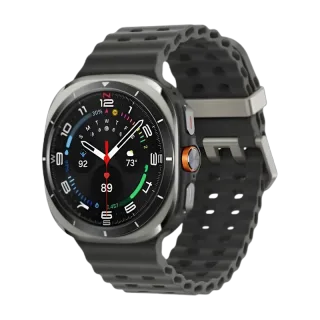
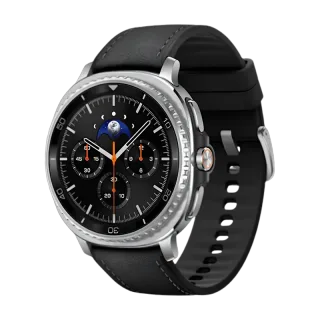
How to Connect TicWatch Pro 3 to Your iPhone.
Yes. The TicWatch Pro 3 works with iPhone. Mobvoi's own route is limited and the line has been discontinued, so pair it with Lynio instead and you get calls, notifications, contacts and health sync in about 3 minutes. See how
The first watch on the Snapdragon Wear 4100, with a dual-layer display and 45 days of battery in Essential mode.
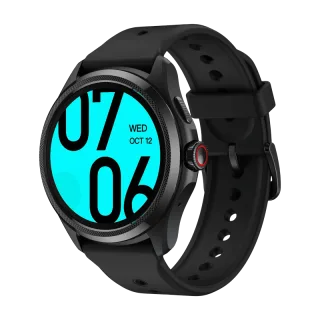
About the TicWatch Pro 3
Released October 2020 at $299, and the first smartwatch anywhere to ship on the Snapdragon Wear 4100 platform. Its signature is Mobvoi's Dual-Layer Display 2.0: a 1.4in 454 x 454 AMOLED with a low-power monochrome transflective LCD stacked physically on top of it. The top layer stays visible at all times showing time, date, steps and workout data, and costs almost nothing to run. That is how a 595mAh battery reaches 72 hours in smart mode and up to 45 days in Essential mode.
There were three variants. The Pro 3 GPS is the base model. The Pro 3 LTE launched in December 2020 in the UK, Germany and Spain and is otherwise identical. The Pro 3 Ultra, from October 2021, adds a colour backlight with 18 selectable colours on the second layer and a MIL-STD-810G rating.
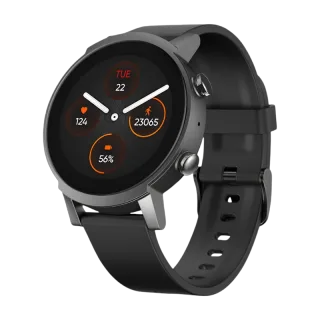
On software it shipped on Wear OS 2 and received Wear OS 3 in December 2023, over three years later, reaching 3.5 in beta shortly after. No Wear OS 4. Mobvoi pulled TicWatch listings from its US store and Amazon in December 2025 and said only that existing devices would keep receiving essential support.
| Case | 47 x 48 x 12.2mm, stainless steel and plastic, 41.9g. 22mm strap |
| Main display | 1.4in AMOLED, 454 x 454 |
| Second display | Low-power monochrome transflective LCD stacked above the AMOLED |
| Chip | Snapdragon Wear 4100 with Mobvoi's dual-processor system |
| Memory | 1GB RAM, 8GB storage |
| Battery | 595mAh. 72h smart mode, up to 45 days Essential mode |
| Durability | IP68, suitable for pool swimming. MIL-STD-810G on the Ultra only |
| Cellular | LTE variant sold in the UK, Germany and Spain |
| Bluetooth | Listed as 4.2 or 5.0. Wi-Fi present |
| GPS | Five systems: GPS, BeiDou, GLONASS, Galileo, QZSS |
| Sensors | Heart rate, SpO2, barometer, accelerometer, gyroscope, NFC. No ECG |
| Software | Wear OS 3, reaching 3.5. No Wear OS 4 |
Connect in 3 Steps

Install Lynio Watch on your TicWatch Pro 3
From the Play Store on the watch. If Google sign-in will not work there, Lynio sends the app across as a signed bundle over Wi-Fi instead.
Follow the in-app pairing guide
Keep both on the same Wi-Fi, Bluetooth on, and leave the app open until pairing finishes.
What You Get After Pairing
| Works | Does not carry over |
|---|---|
| Notifications from your iPhone | Mobvoi's phone app and its history |
| Calls, made and answered from the wrist | Google Wallet payments from the wrist |
| Contacts synced from the iPhone | |
| Music playback control | |
| Workouts and health data written to Apple Health | |
| Both display layers, Essential mode, GPS, every on-watch sensor |
The dual-layer display and Essential mode are watch-side, so the 45-day figure and the always-visible top layer behave exactly as they always have.
Frequently Asked Questions
Once, and only if the watch has never been set up. After that it is not needed again. A Galaxy Watch needs one at no point at all.
Wear OS 3, with a 3.5 build that followed. It never received Wear OS 4. Lynio needs Wear OS 3.0 or later, so it is supported.
It was sold in the UK, Germany and Spain on a single-number carrier plan. Outside those markets you will have a GPS model, which has no cellular.
References
- GSMArena, September 2020: launch, pricing, first device on the Snapdragon Wear 4100, dual-layer display.
- Mobvoi TicWatch Pro 3 GPS product page: dimensions, weight, materials, battery, Essential mode, GNSS, sensors, IP68.
- Android Central review: case, display layers, battery measurement, Bluetooth, no ECG.
- GSMArena and Android Authority, October 2021: the Pro 3 Ultra, colour backlight, MIL-STD-810G.
- Gadgets and Wearables, December 2020: the Pro 3 LTE launch markets and pricing.
- Android Authority, December 2023: Wear OS 3 rollout to the Pro 3 and E3.
- 9to5Google and Android Central, December 2025: TicWatch listings pulled and Mobvoi's statement.