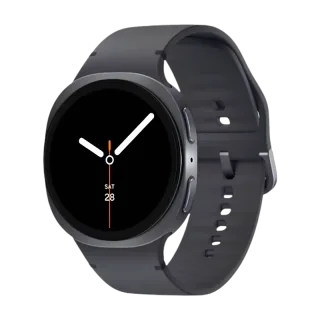
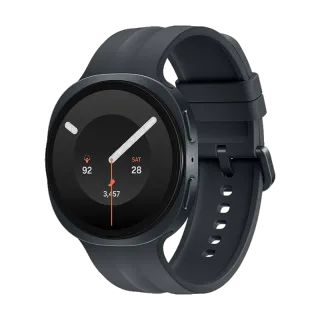
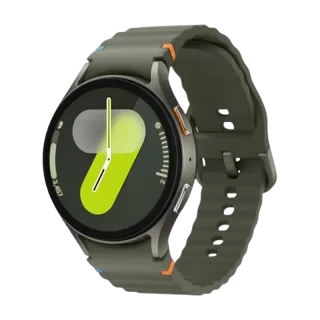
How to Connect Galaxy Watch 8 Classic to Your iPhone.
Yes. The Galaxy Watch 8 Classic works with iPhone. Pair it with the Lynio app and you get calls, notifications, contacts and health sync in about 3 minutes. See how
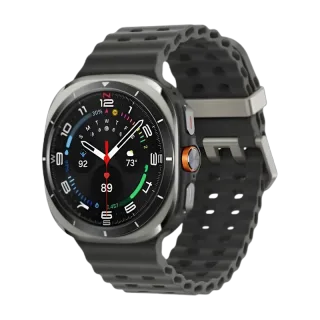
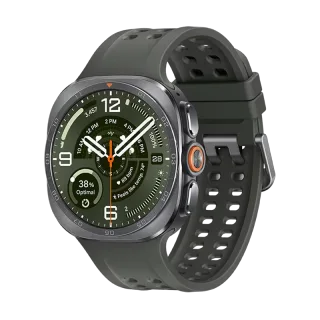
Stainless steel, a physical rotating bezel with the 60-second scale back, a third Quick Button, and 64GB of storage.
About the Galaxy Watch 8 Classic
Released July 2025 at $499.99 in one 46mm size, and the most physical watch Samsung sells. The rotating bezel is here with deeper ridges and the 60-second scale restored, and for the first time a Classic also carries a third Quick Button, the orange control the Ultra introduced. Scrolling a list by twisting the bezel is still the fastest way to use a smartwatch, and no app has ever matched it.
It also carries 64GB of storage, double the standard Watch 8 and four times the Watch 6 Classic, which matters if you keep music on the watch for phone-off runs. The sensor stack matches the Watch 8: ECG, body composition, Antioxidant Index and blood pressure monitoring. Samsung commits to four years of software updates.
| Case | One size, 46mm. 46.4 x 46 x 10.6mm, 63.5g |
| Material | Stainless steel, sapphire crystal front |
| Controls | Physical rotating bezel plus a third Quick Button |
| Display | 1.34in Super AMOLED, 438 x 438, 3,000 nits, 60Hz |
| Chip | Exynos W1000, 3nm, penta-core |
| Memory | 2GB RAM, 64GB storage |
| Battery | 445mAh, up to 40h with display off, 10W wireless |
| Durability | 5ATM, IP68, MIL-STD-810H |
| Cellular | LTE optional, $549 against $499 |
| Bluetooth | 5.3 |
| GPS | Dual-frequency L1 and L5 |
| Sensors | ECG, body composition, Antioxidant Index, SpO2, skin temperature, barometer |
| Software support | Four years |
Connect in 3 Steps

Install Lynio Watch on your Galaxy Watch 8 Classic
From the Play Store on the watch. If Google sign-in will not work there, Lynio sends the app across as a signed bundle over Wi-Fi instead.
Follow the in-app pairing guide
Keep both on the same Wi-Fi, Bluetooth on, and leave the app open until pairing finishes.
What You Get After Pairing
| Works | Does not carry over |
|---|---|
| Notifications from your iPhone | Samsung Pay and Samsung Wallet |
| Calls, made and answered from the wrist | Samsung Health's phone app |
| Contacts synced from the iPhone | Bixby |
| Music playback control | Samsung Find |
| Workouts and health data written to Apple Health | |
| The rotating bezel, the Quick Button and every on-watch sensor |
The bezel and the Quick Button are hardware controls handled by the watch, so they behave exactly as they do on Android. Only Samsung's phone-side apps stay behind.
Frequently Asked Questions
No. A Galaxy Watch is the one case where an Android phone is not needed at any point, including first-time setup.
Yes. It is a physical control read by the watch, so it scrolls lists and menus the same way whichever phone the watch is paired to.
Yes. It's a hardware control on the watch, assignable to a workout, the stopwatch or the flashlight, and it works the same regardless of the phone.
No. Both need Samsung's own phone-side software, which does not exist on iOS. The watch's own sensors and hardware controls still work through Lynio.
References
- GSMArena Galaxy Watch8 Classic spec page: dimensions, weight, display, chip, storage, Bluetooth, GPS.
- Samsung US Galaxy Watch8 Classic product page: battery, durability, sensors.
- SamMobile, July 2025: US pricing, LTE premium, storage.
- Android Central, July 2025: rotating bezel changes, deeper ridges, 60-second scale, third Quick Button.
- 9to5Google, August 2026: Wear OS 7 beta on the Galaxy Watch 8 line.
- Samsung US support: Wear OS Galaxy watches are not compatible with iOS devices.