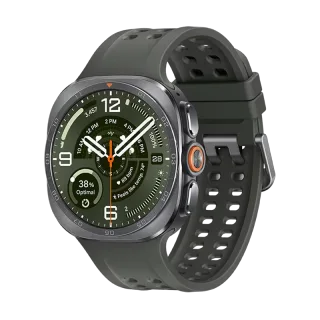
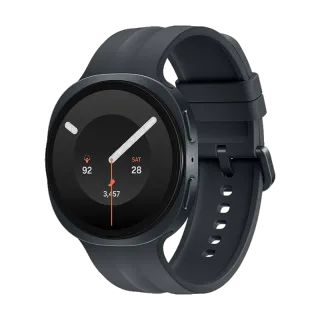
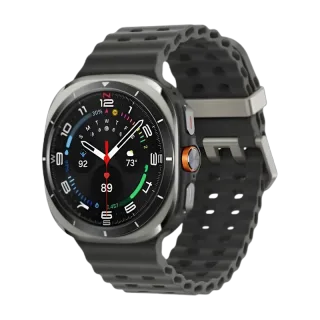
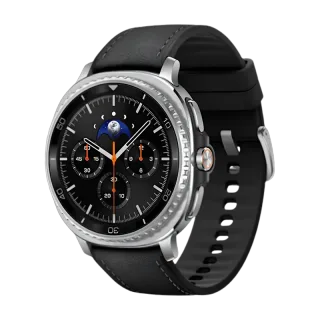
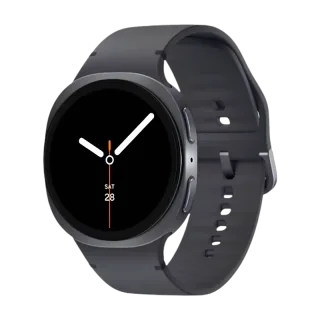
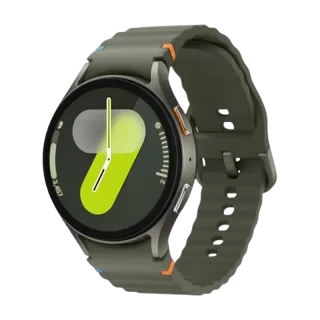
How to Connect Oppo Watch X to Your iPhone.
Yes. The global Oppo Watch X works with iPhone. Oppo's own spec sheet says iOS is not supported, so pair it with Lynio instead and you get calls, notifications, contacts and health sync in about 3 minutes. See how
Stainless steel, sapphire crystal, and 100 hours of battery from a dual-chip design. Ten minutes on the charger buys a full day.
About the Oppo Watch X
Released March 2024 and reaching Europe that June at around €329. It uses the same dual-chip approach as its sibling brand: a Snapdragon W5 Gen 1 running Wear OS alongside a BES 2700BP co-processor handling low-power tasks. That is how a 500mAh battery reaches up to 100 hours in smart mode and 12 days in power saver, with a ten minute VOOC charge buying a full day.
The build is stainless steel with a 2.5D sapphire crystal front, 5ATM, IP68 and MIL-STD-810H. It is hardware-identical to a rebadged sibling model, which is worth knowing when comparing prices.
Check which model you have. The global Watch X runs full Wear OS with the Google Play Store on the watch. The China model runs Oppo's own ColorOS Watch with no Play Store, and it is the China model that has eSIM calling. The global version has no cellular at all. On software, it shipped on Wear OS 4 and no source confirms it ever received Wear OS 5.
| Case | 47.0 x 46.6 x 12.1mm, stainless steel with a plastic back, 49g |
| Front | 2.5D sapphire crystal |
| Display | 1.43in AMOLED, 466 x 466, 60Hz, 600 nits typical, 1,000 nits boosted |
| Chip | Dual chip: Snapdragon W5 Gen 1 plus a BES 2700BP co-processor |
| Memory | 2GB RAM, 32GB storage |
| Battery | 500mAh. Up to 100h smart mode, 48h heavy use, 12 days power saver |
| Charging | VOOC. 10 minutes for a full day, 60 minutes to full |
| Durability | 5ATM, IP68, MIL-STD-810H |
| Cellular | Global model: none. China model has eSIM |
| Bluetooth | 5.0. Wi-Fi 2.4GHz and 5GHz |
| GPS | Dual-band L1 and L5, five systems |
| Sensors | Heart rate, SpO2, barometer, compass, accelerometer, gyroscope. No ECG |
| Play Store | Global model: yes. China model runs ColorOS Watch with no Play Store |
| Software | Wear OS 4. No published support window |
Connect in 3 Steps

Install Lynio Watch on your Oppo Watch X
From the Play Store on the watch. If Google sign-in will not work there, Lynio sends the app across as a signed bundle over Wi-Fi instead.
Follow the in-app pairing guide
Keep both on the same Wi-Fi, Bluetooth on, and leave the app open until pairing finishes.
What You Get After Pairing
| Works | Does not carry over |
|---|---|
| Notifications from your iPhone | Oppo's own health app and its history |
| Calls, made and answered from the wrist | Google Wallet payments from the wrist |
| Contacts synced from the iPhone | Deep integration with Oppo phones |
| Music playback control | |
| Workouts and health data written to Apple Health | |
| The 100-hour battery, dual-band GPS, every on-watch sensor |
The four-day battery is entirely a function of the dual-chip design inside the watch, so it is unaffected by which phone is at the other end.
Frequently Asked Questions
Once, and only if the watch has never been set up. Oppo requires its app on Android 8.0 or newer with Google services for that first pass, then it is not needed again.
No. Oppo's own specification sheet states iOS is not supported. There is no first-party route from this watch to an iPhone.
The global model runs Wear OS with the Google Play Store on the watch and has no cellular. The China model runs ColorOS Watch, has no Play Store, and has eSIM calling. If your watch has the Play Store on it, you have the global model.
Not on the global model, which has no cellular at all. Calls route through the paired phone over Bluetooth.
References
- Oppo global specification page, Watch X: case, materials, display, battery and modes, VOOC charging, durability, Bluetooth, Wi-Fi, dual-band GPS, sensors, Android 8.0 requirement and the statement that iOS is not supported.
- GSMArena Oppo Watch X spec page and launch coverage: release, dual-chip arrangement, no cellular on the global model.
- Notebookcheck, June 2024: European launch and pricing, full Wear OS with Play Store.
- Gizmochina, March 2024: the China model runs ColorOS Watch with eSIM.
- HardwareZone review: Singapore pricing, Play Store apps confirmed.
- Pocket-lint Wear OS 5 tracker and Wareable Wear OS 6 coverage: no confirmation for this model.