Optimized
How to Connect Galaxy Watch Ultra to Your iPhone
Samsung's flagship adventure watch: a 47mm titanium case, sapphire crystal, 590mAh battery and the 3nm Exynos W1000, built to MIL-STD-810H with 10ATM water resistance.
Read article →Updated July 6, 2026
Yes. The Galaxy Watch 9 works with iPhone. Pair it with the Lynio app and you get calls, notifications, contacts and health sync in about 3 minutes.
Samsung's 2026 mainline flagship: the first Galaxy Watch on the Snapdragon Wear Elite chip and Wear OS 7, with 2GB RAM, 32GB storage and 390mAh/445mAh batteries in 40mm and 44mm cases.

LYNIO
Wear OS ✓
Google's watch platform

Bluetooth ✓
Wireless pairing

Google Play Store ✓
Install Lynio Watch
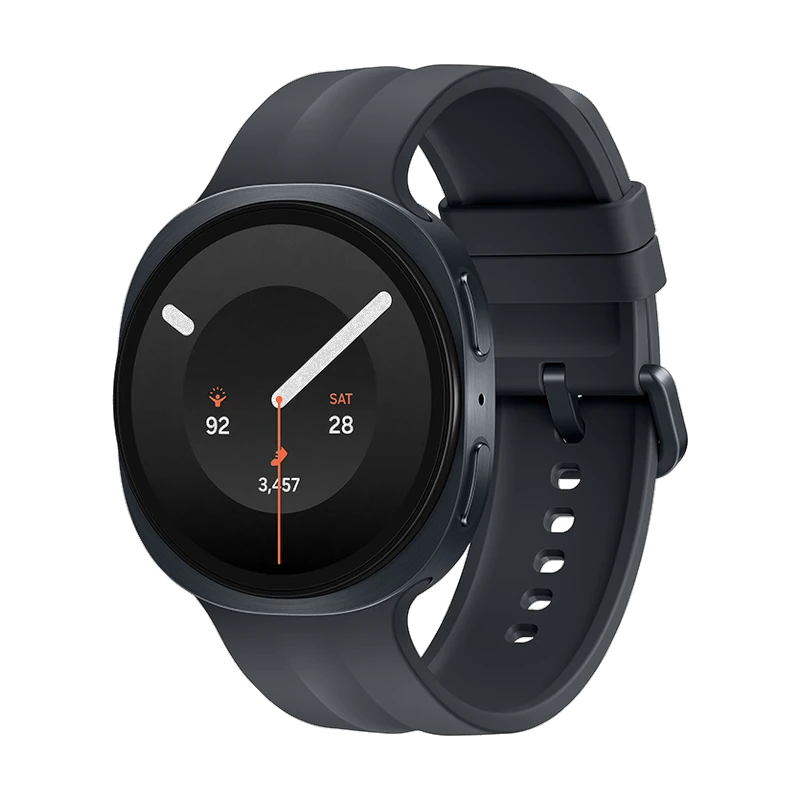
The Galaxy Watch 9 (2026) is the first Galaxy Watch to run Qualcomm's new Snapdragon Wear Elite platform instead of the Exynos W1000 used by the previous two generations, paired with Wear OS 7 and One UI 9 Watch. It carries 2GB of RAM, 32GB of storage, and 390mAh (40mm) or 445mAh (44mm) batteries, with dual-band GNSS, Wi-Fi 6, Bluetooth 6.0 and 5ATM/MIL-STD-810H durability.
Samsung still limits official pairing to Android phones via the Galaxy Wearable app, so out of the box the Watch 9 won't talk to an iPhone. Lynio bridges the two: Lynio Watch installs straight from the Play Store on the watch, and after a short Bluetooth pairing your iPhone takes over calls, notifications, contacts and health sync. First-time setup may need brief access to an Android phone.
The Watch 9 is Optimized in Lynio: every feature, from call routing to Apple Health sync and silent Bluetooth reconnection, is verified on this exact model.
Open the Google Play Store on your Galaxy Watch 9, search "Lynio Watch" and tap Install. Your watch's Bluetooth will handle the rest.
Open Lynio on your iPhone. It walks you through pairing step by step (takes about 2 minutes).
Calls on your wrist
iPhone notifications
Caller ID & contacts
Health → Apple Health
Music control
Auto reconnect
Samsung's flagship adventure watch: a 47mm titanium case, sapphire crystal, 590mAh battery and the 3nm Exynos W1000, built to MIL-STD-810H with 10ATM water resistance.
Read article →The 2025 Classic brings back Samsung's signature rotating bezel in a 46mm stainless steel cushion case, powered by the 3nm Exynos W1000 with a 445mAh battery.
Read article →Samsung's 2025 flagship in a slimmer cushion-design case: 40mm or 44mm, the 3nm Exynos W1000, and bigger 325mAh/435mAh batteries.
Read article →